 Markwise for Mac
The Mac bookmark manager that's one keystroke away.
Search everything you've saved from any app, save the tab you're on without leaving it, and ask questions answered from what you've read. It lives in the menu bar and stays out of the way.
Create a free account now. Your library is waiting when the app ships.
Try it here: press ⇧⌥Space
Three keystrokes
Find, ask, save. From any app.
- ⇧⌥Space
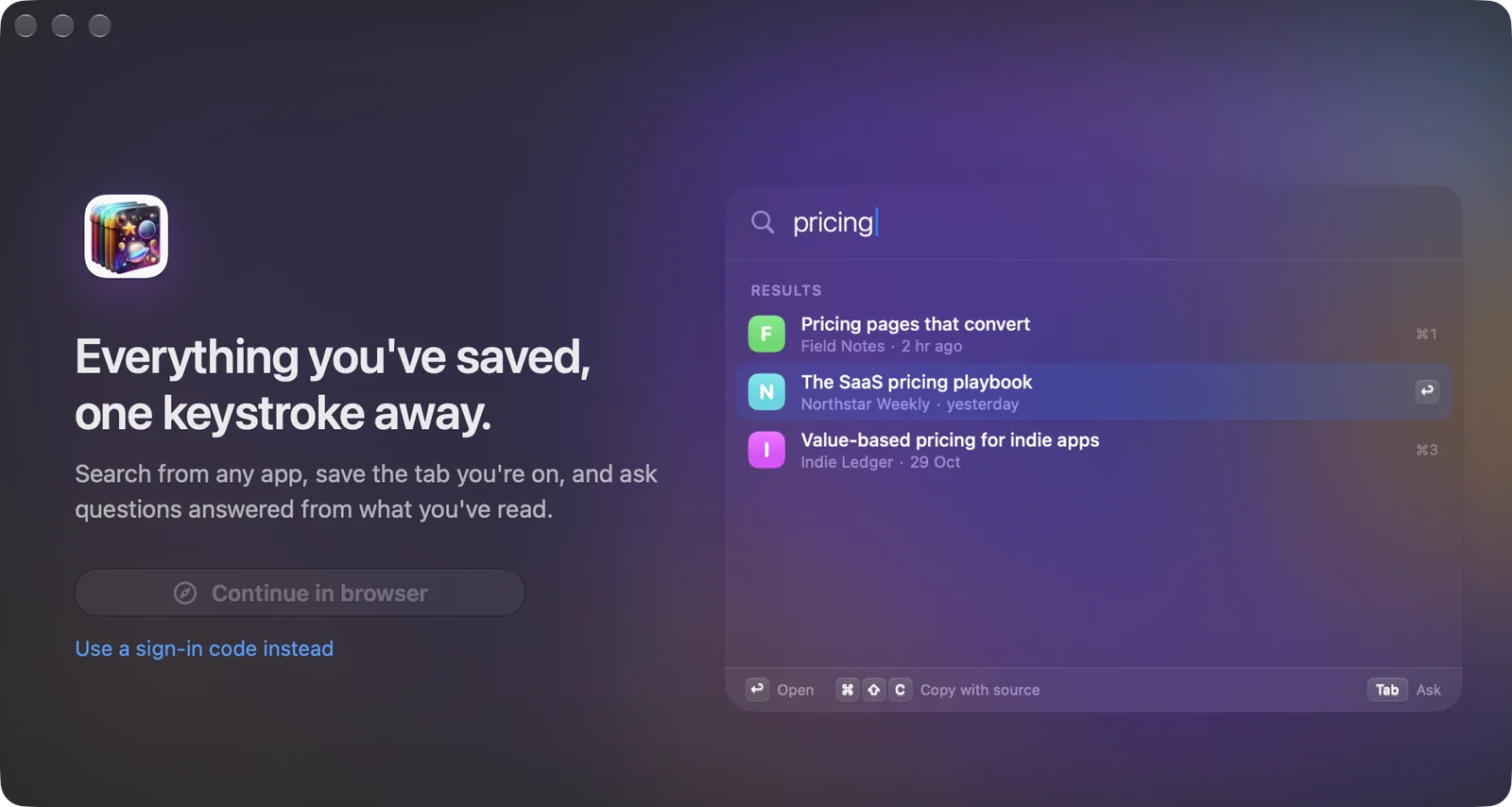
Find anything
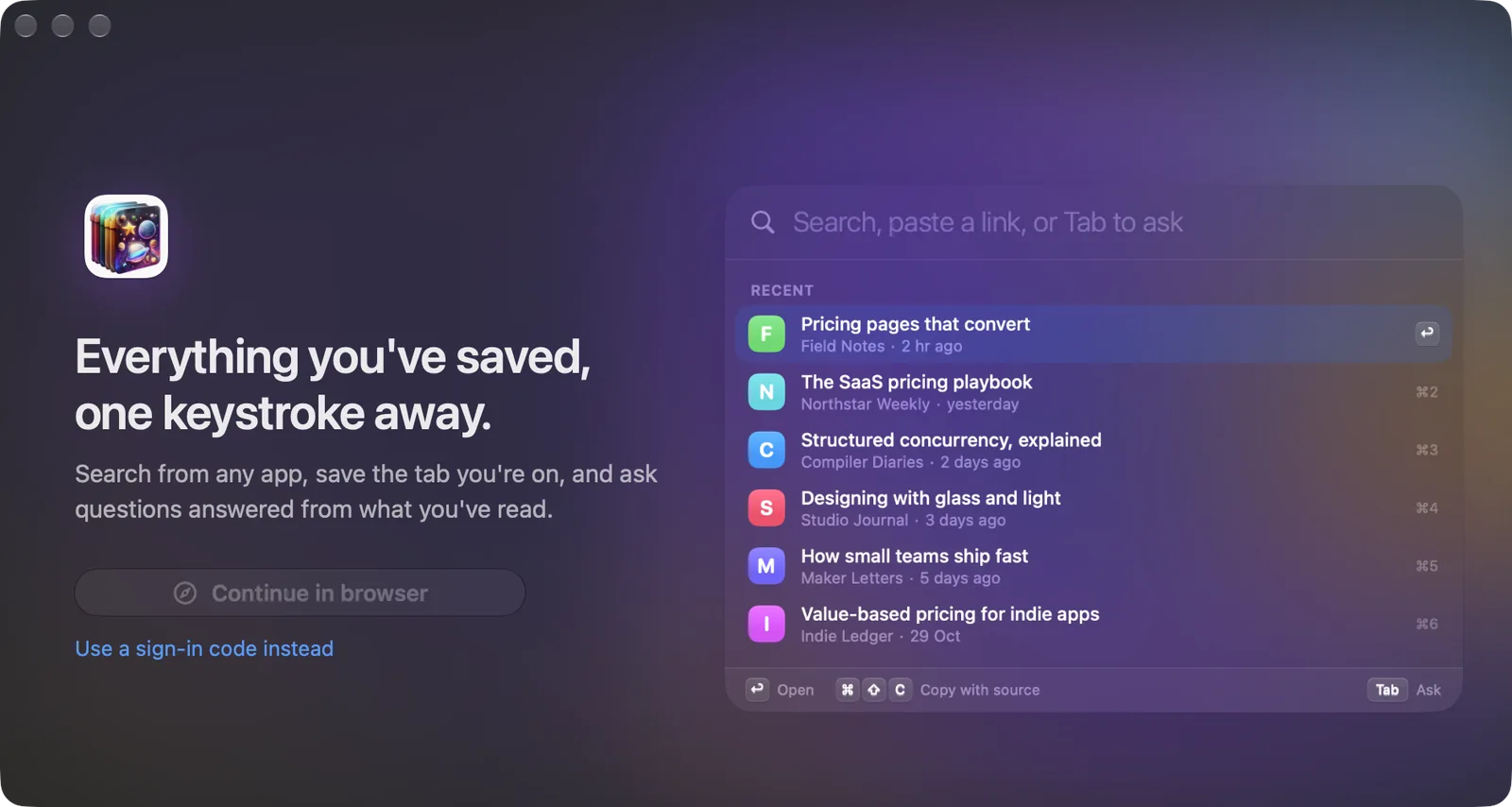
A search bar over any app. Results appear as you type, from a copy of your library on this Mac.
- Tab
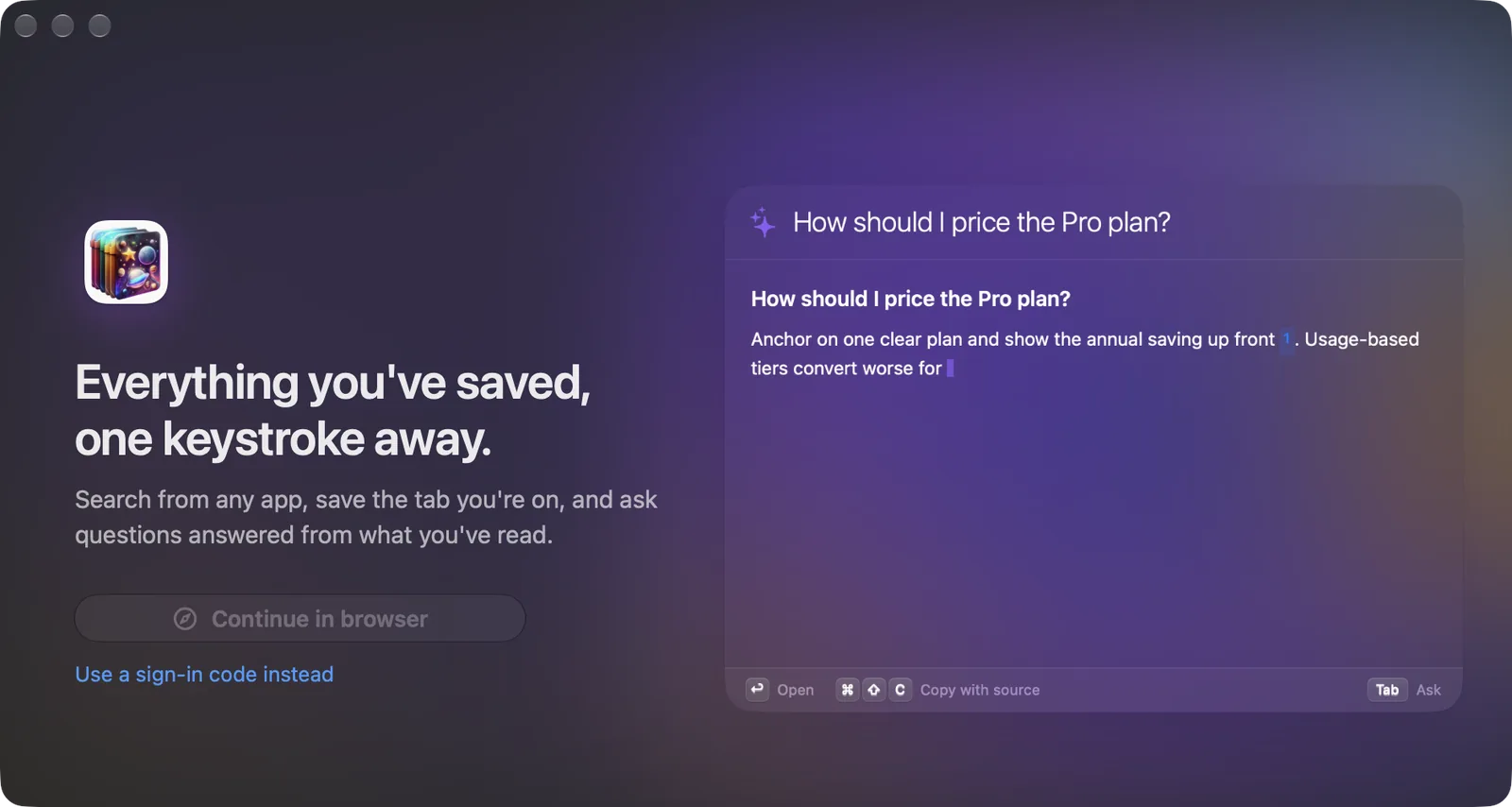
Ask
Turn the search into a question. The answer streams in with numbered sources you can open.
- ⌃⌥S
Save the tab
Saves the front tab of your browser without switching windows. A small HUD confirms it, or says it's already saved.
Both shortcuts can be changed in Settings.
⌃⌥Space
A search bar for what you've read.
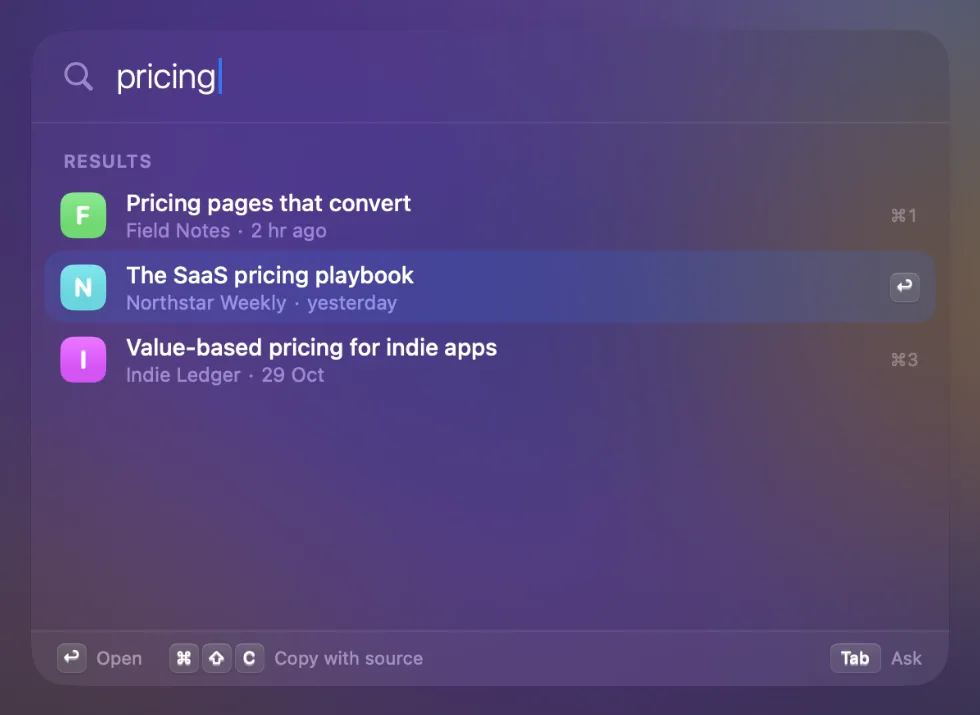
Press ⌃⌥Space over any app. Markwise searches titles, sites, tags and summaries on this Mac as you type, so results show up before you finish the word.
- ↩ opens the page, ⌘↩ opens it in Markwise
- ⌘⇧C copies it as a Markdown link with its source
- ⌘E adds it to a Space, ⌘S saves the tab you're on
- Search the full text on the server when the title isn't enough
Tab to Ask
Ask, and get your sources back.
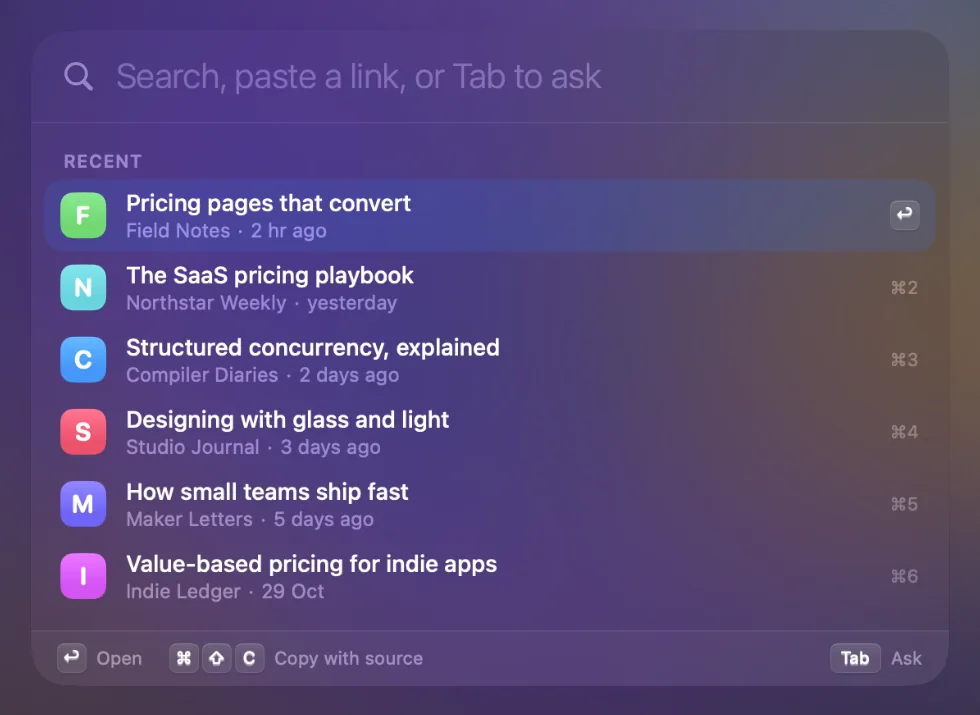
Press Tab and type a question. The answer comes from your saves, not the open web, and every claim carries a numbered source you can click.
- Follow-up questions stay in one conversation
- Say "this page" to ask about the tab in front of you
- ⌘⇧C copies the answer with its sources
Your AI
The same library, inside Claude and ChatGPT.
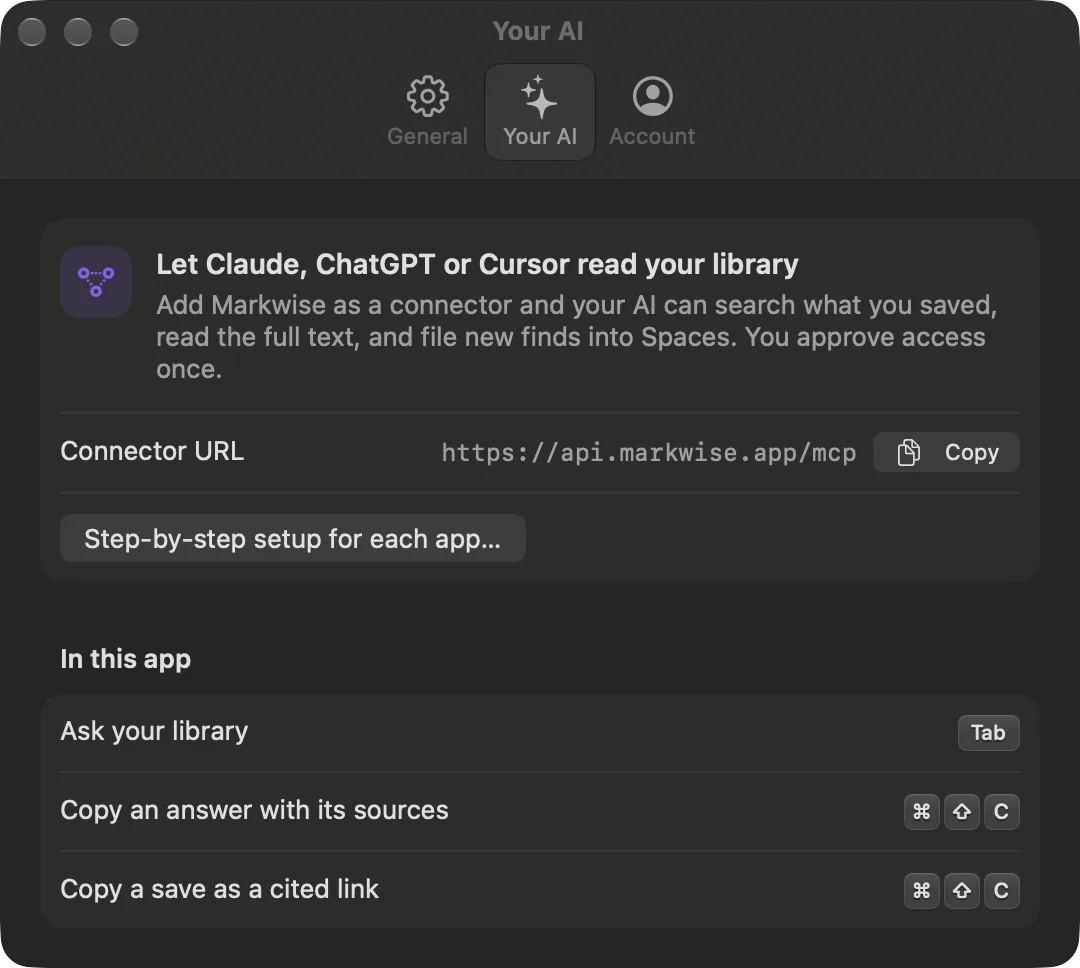
Markwise is also a connector for Claude, ChatGPT, Cursor and other apps that support MCP. Add it once and your AI can search what you saved, read the full text, and file new finds into Spaces.
- Connector URL: https://api.markwise.app/mcp
- You approve access once, and can revoke it anytime
⌃⌥S
Save the tab you're on. Stay on it.
Press ⌃⌥S in your browser. Markwise saves the front tab, extracts the page text and files it, while you keep reading. Saved it before? It says so instead of making a duplicate. A link on your clipboard works too.
- Safari
- Chrome
- Arc
- Brave
- Edge
- Vivaldi
- Opera
- Comet
- Atlas
Illustration with sample data
A real Mac app
Fits the Mac you already use.
Menu bar, no Dock icon
Recent saves, sync status and a Space picker in one small panel.
Spotlight
Your saves show up in ⌘Space. Indexed on this Mac only, removed when you sign out. You can turn it off.
Services menu
Select a link, or text with links, in any app. Right-click › Services › Save to Markwise.
Collect mode
Pick a Space in the menu bar and every save files into it until you stop.
Shortcuts and Siri
Save Link, Save Current Browser Tab, Search Markwise and Ask Markwise as actions.
Library window
All, Favorites, Added by AI, PDFs and your Spaces in a sidebar, with summaries and actions.
Always on
Open all day. Costs nothing while idle.
A launcher only works if it's already running. Markwise is built to stay open without you noticing it.
- 0 timers while idle
- Hotkeys use the system hotkey API. No polling, no Accessibility permission.
- ~15 min background sync
- macOS schedules it with other work and holds it on battery. A quiet day costs one request.
- 1 Automation prompt per browser
- Asked once, the first time you save from that browser.
- Keychain sign-in on this device only
- Sign out removes the session, the local index and the Spotlight entries from this Mac.
At a glance
Markwise for Mac, in facts.
- Status
- Coming soon. Not yet available to download.
- Price
- Free app. A Free Markwise account includes 3 server searches and up to 5 Ask answers a day; Pro makes both unlimited.
- Requires
- macOS 14 Sonoma or later. Liquid Glass styling on macOS 26.
- Account
- A Markwise account. Sign in once in your browser; the app keeps the session in the keychain.
- Saves from
- Safari, Chrome, Arc, Brave, Edge, Vivaldi, Opera, Comet, Atlas
- Shortcuts
- ⌃⌥Space search, Tab to Ask, ⌃⌥S save the front tab. All can be changed.
- Offline
- Searches titles, sites, tags and summaries on this Mac. Full text and Ask need a connection.
- Made by
- Reaktif LLC, the team behind Markwise.
Questions
Can I download Markwise for Mac today?
Not yet. Markwise for Mac is coming soon. Create a free Markwise account now: the Mac app signs in to the same library, so everything you save from Chrome, iPhone or the web is already there on day one.
Which version of macOS does it need?
macOS 14 Sonoma or later. On macOS 26 it uses the system's Liquid Glass look.
Is Markwise for Mac free?
The app is free and works with a Free Markwise account. Search on your Mac is unlimited; Free also includes 3 server searches and up to 5 Ask answers a day. Pro makes server search (including search by meaning) and Ask unlimited.
Which browsers can it save from?
Safari, Chrome, Arc, Brave, Edge, Vivaldi, Opera, Comet and Atlas. Press ⌃⌥S to save the front tab. macOS asks for Automation permission once per browser. You can also save a link on the clipboard, or use Services › Save to Markwise from any app.
Does it work offline?
Search does. The app keeps a copy of your library's titles, sites, tags and summaries on your Mac and searches it as you type. Full-text search, Ask and new saves need a connection.
Will my saves show up in Spotlight?
Yes, if you leave it on. Saves are added to Spotlight on this Mac only and removed when you sign out. You can turn it off in Settings.
How is it different from Raycast, Alfred or Spotlight?
Those launch apps and find files. Markwise searches the pages you saved and read, by what they said, and answers questions from them with sources. Many people run both.
Can Claude or ChatGPT use the same library?
Yes. Markwise is a remote MCP connector at https://api.markwise.app/mcp. Add it to Claude, ChatGPT, Cursor or another app that supports MCP, approve access once, and it can search and save to the same library as the Mac app.
Everything you've saved, one keystroke away.
Markwise for MacComing soon macOS 14 or laterCreate a free account now. Your library is waiting when the app ships.